Grok Bot: $30 to hire an entire AI team, but who's the team lead?
What Grok Bot is, why the entry price plunged from $300 to $30, and what Vietnamese marketers should delegate to this bot team versus keep for themselves.
Penny Dinh · November 01, 2026

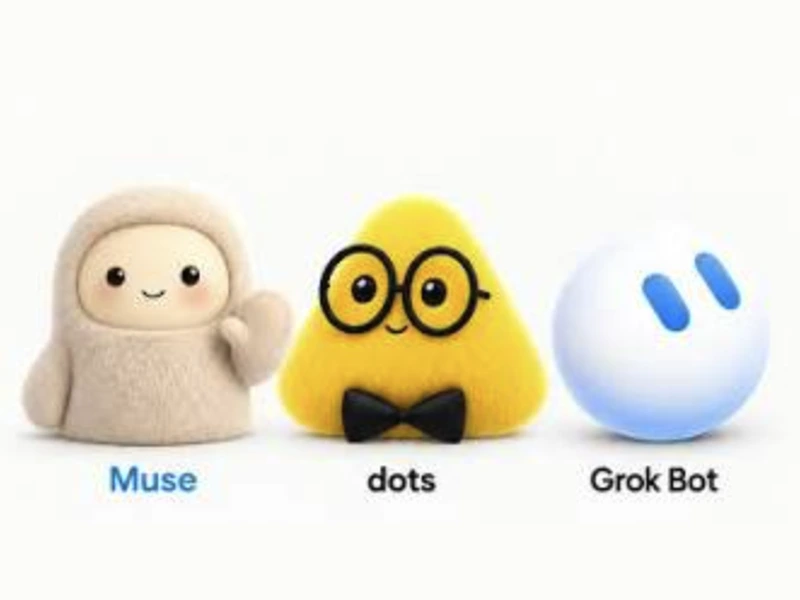
In my last two posts, I wrote about Meta's Muse and OpenAI's Dots. There was one more name in this wave of 24/7 AI assistants that I promised to cover: Grok Bot.
Grok Bot is an AI agent from xAI, launched before the other two on August 11. Back then, it was expensive and almost nobody could get their hands on it. But in mid-October, everything changed: the entry price dropped to $30.
And this time, the pitch wasn't just "an assistant." It was "a whole team":
"One bot per task."
"A bot acting as team lead, automatically delegating work to other bots."
"All you do is approve."
Sounds like hiring an entire marketing department for the price of a hotpot dinner.
So the big question for this post is: for $30, are you actually hiring a real working team, or just buying yourself another messy headache?
What is Grok Bot? Not a chatbox, but a team of bots with their own virtual computers
Grok Bot is an AI agent product from xAI, Elon Musk's AI company, which is now integrated with SpaceX—hence the product page bearing the name SpaceXAI. Its beta launched on August 11, 2026 (VentureBeat).
Don't confuse it with standard Grok chat.
Grok chat: you ask, it answers, generates images, or creates videos.
Grok Bot: you spin up individual bots with specific roles, grant them access to apps and websites, and assign them tasks.
Each bot operates on a cloud-based computer equipped with a browser and dedicated file storage. You can shut your laptop, and it keeps running.
It logs into apps using the credentials you provide and clicks around the user interface just like a human—even on software without APIs or MCP (the protocol enabling different software to talk to each other).
Show it how to do something once, and it saves it as a routine—a repeatable workflow—to run on its own next time (TechSifted).
In short: a chatbot is someone who answers. Grok Bot is someone who actually does the work.
Grok Bot's price plummeted from $300 to $30 in just two months
At launch, getting access to Grok Bot meant subscribing to SuperGrok Heavy at $300, Cursor Ultra at $200, or Cursor Teams Premium at $120 per user per month (VentureBeat).
On August 26, xAI opened access up to lower-tier SuperGrok and Cursor plans (Kingy AI).
Then on October 12, they bundled Grok, Cursor (the AI coding tool), and X Premium perks into a single package called The X Subscription. Grok Bot is available starting from the Premium tier (ContentGrip):
- Free ($0) and Plus ($8): no Grok Bot.
- Premium ($30): includes Grok Bot, with 4x the Plus quota.
- Super ($100) and Ultra ($200): 15x and 50x the Plus quota, respectively.
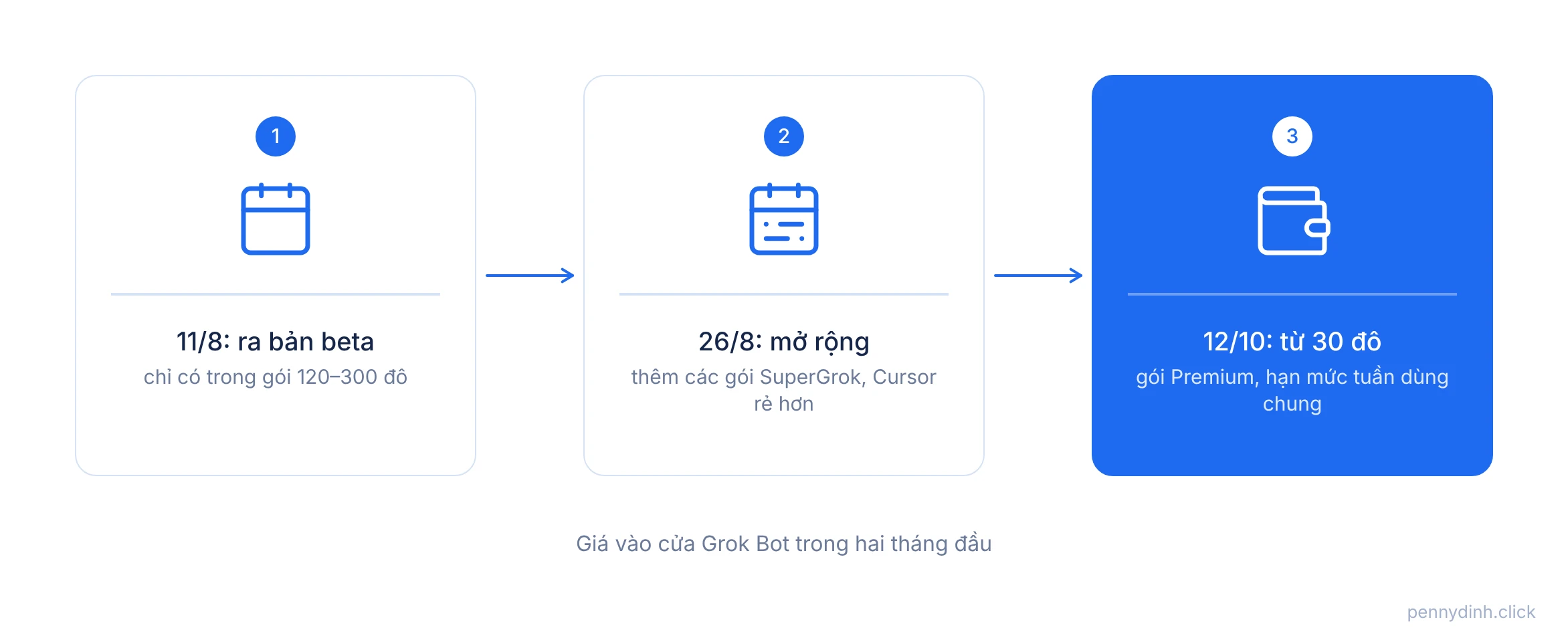
That is why Grok Bot is everywhere this month. What started as an expensive toy for tech bros with deep pockets has become something an everyday shop owner can actually experiment with.
Grok Bot shines brightest when configured as a Chief of Staff
The single biggest difference between Grok Bot and Dot: Dot is an assistant; Grok Bot is a team.
You create multiple bots, each dedicated to a single stream of work. For instance, the company suggests: a lead gen bot, an expense tracking bot, a bug reproduction bot, and a Chief of Staff bot—a project lead that sits on top orchestrating everything. The bots share a group chat, message each other, and hand off tasks. You don't have to act as the middleman running back and forth.
For an online store or a lean marketing team of 3–5 people, here is how I picture the bot roster:
The monitor bot: scans comments, DMs, brand mentions, and bundles recurring questions.
The metrics bot: pulls ad numbers and order volumes, flagging anything unusual.
The content bot: drafts posts and schedules captions based on a calendar.
The lead bot: synthesizes everything and sends you a tidy summary every Monday morning with a checklist waiting for your approval.
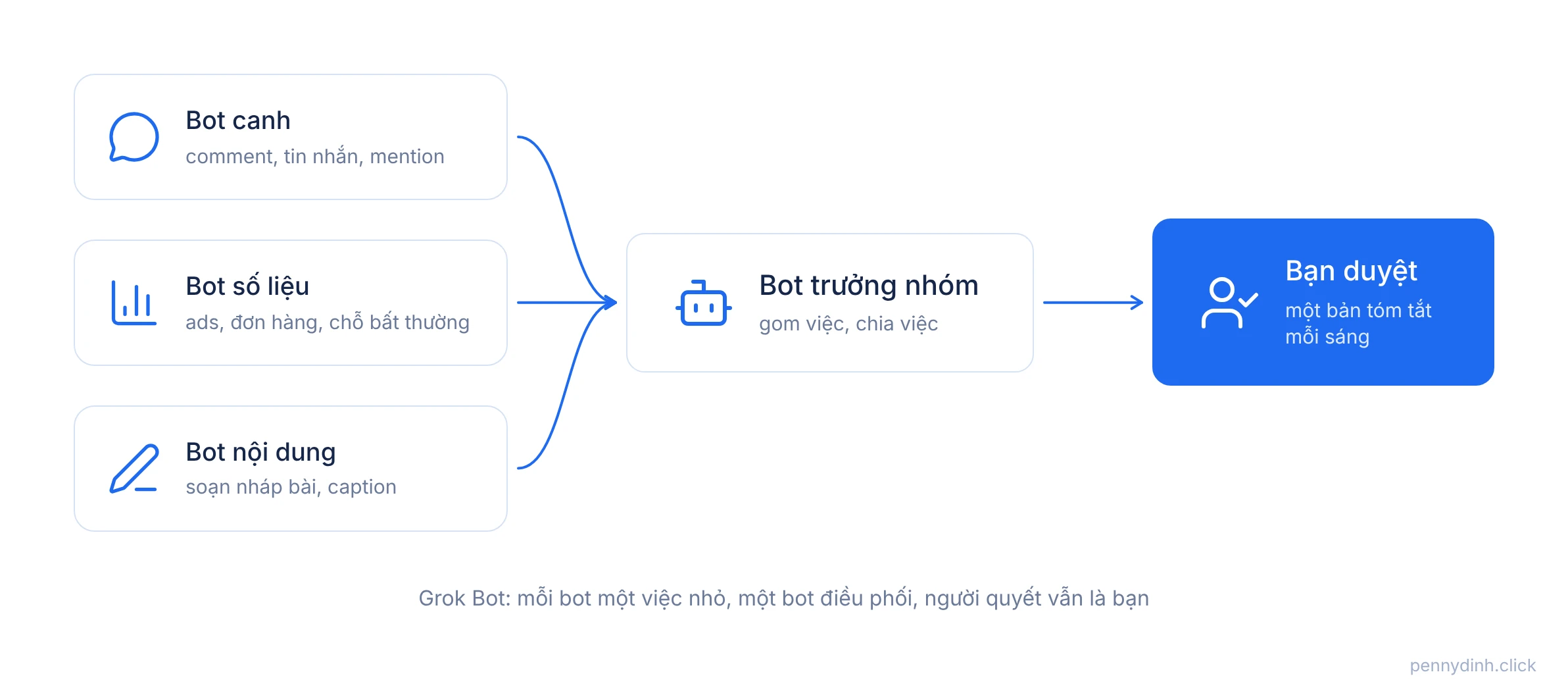
Each bot handles one small, distinct scope. Whether you are delegating to humans or bots, that is always the right way to manage.
Grok Bot's home turf is X—and that is both its biggest superpower and its main limitation
Grok Bot comes plugged directly into X. Since early October, it can search and analyze posts on X right inside the app without extra plugins: track product sentiment, follow trending stories, or compile weekly industry roundups (Social Media Today). Paid users even get complimentary X API credits for bots to pull timelines, monitor mentions, and run trend reports (Social Media Today).
If you do SaaS affiliate marketing, run print-on-demand to the US, follow AI news, or build a personal brand in English, this alone is worth the money. Breaking AI and tech news almost always lands on X first.
But let's be real: for most businesses in Vietnam, your customers aren't hanging out on X. They are on Facebook, TikTok, Zalo, and Shopee. Grok Bot can still access those platforms by logging in and clicking through interfaces like a human, but its home-field advantage disappears.
So before pulling out your card, ask yourself one simple question: where are my customers actually having conversations?
Bots log in with your credentials, so manage permissions like you manage spare keys
Grok Bot's ability to operate inside apps without APIs is its greatest strength. It is also its biggest security vulnerability.
The bots log in using the exact accounts you provide. According to TechSifted, all bots created under a single account share the same cloud virtual machine, meaning they aren't isolated from one another. While an Auto Review safety feature blocks sensitive actions, launch documentation still leaves questions unanswered regarding how passwords are stored and whether you can isolate specific accounts to specific bots (AIToolsReview).
Here is how I split up permissions:
Read-only bots: full freedom. Let them read comments, scrape analytics, and scan X.
Drafting bots: permitted to write drafts, strictly blocked from publishing or hitting send.
Sending messages, publishing content, spending money: must always require my manual sign-off.
Ad accounts, bank accounts, primary brand pages: completely off-limits to every bot.
You wouldn't hand a brand-new hire the master keys to the office safe on day one. Don't do it with your bots either.
$30 is just the door cover; your weekly limit is the real price tag
The $30 Premium plan is not unlimited. Grok chat, Cursor, and Grok Bot all pull from a single shared weekly credit limit. When you run out, you have to top up (ContentGrip).
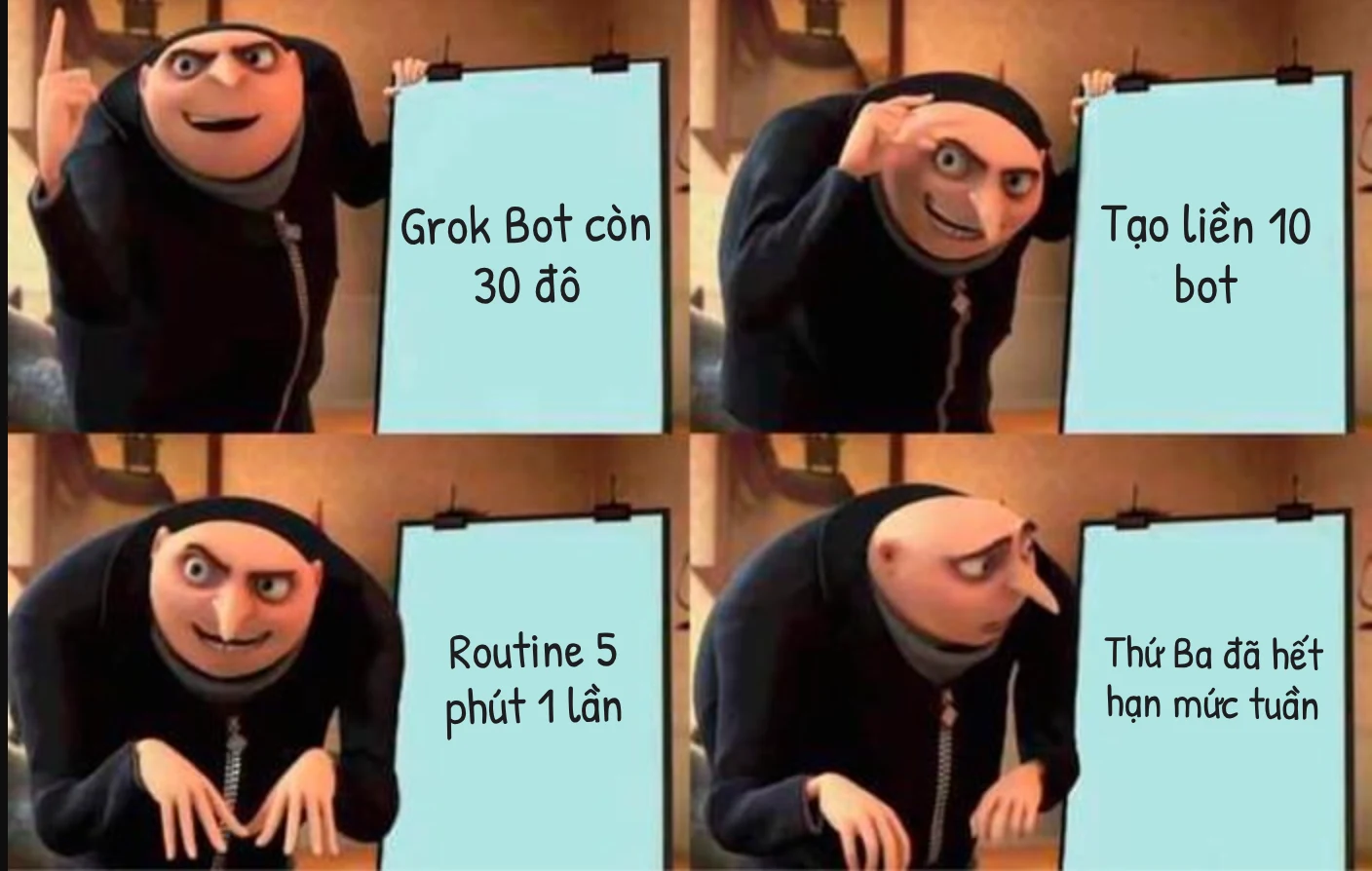
Routines can be scheduled to run as frequently as every 5 minutes, and each execution eats into that shared budget. SmartScope points out: aggressive routine frequencies can easily burn through an entire week's quota in under 24 hours (SmartScope).
That means:
A bot checking comments every 5 minutes: sounds impressive, burns credits like crazy.
A bot compiling a daily morning digest: cheap, efficient, and usually all you really need.
The question you should ask isn't "how many times can my bot run?" It's "how fresh does this data actually need to be to drive real value?"
I tested it out: a real Grok Bot squad, each with one clear role
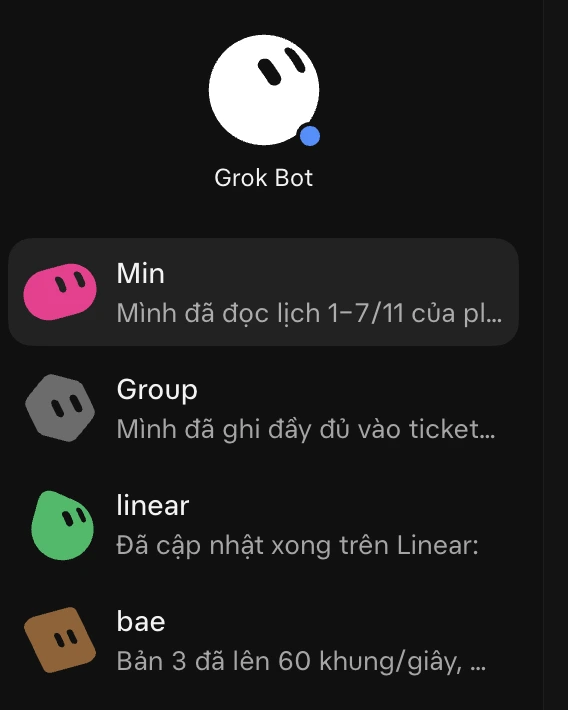
I currently run Grok Bot using this exact division of labor. No single bot tries to do everything. Each bot has one distinct task, its own name, and a unique color tag so I can see what's happening at a glance.
The moment I open the app, I get instant status updates from each bot:
Min finished reading through the schedule for Nov 1–7.
Group documented the details into the support ticket.
linear pushed the latest updates on Linear.
bae confirmed version 3 hit 60 frames per second.
I don't need to jump between tabs asking "is this done yet?" Once a bot completes a task, it drops a one-line update, and logs the details directly into the right ticket or project board. My job is simply to review, approve, and hand out the next batch of tasks.
Grok Bot seems to be leaning heavily into this workflow: according to TestingCatalog, xAI is preparing a dedicated Tasks hub to track running jobs, routines, and bot-to-bot handoffs (TestingCatalog).
My biggest takeaway: delegating work across multiple bots isn't the hard part. The hard part is having a centralized dashboard to track what each bot is working on, what's finished, and what's stuck waiting on your approval.
A team of bots can't fix poor management
Let's be completely candid here.
Grok Bot is being marketed as your new "digital coworker." But great coworkers still need great management.
If you don't know the exact step-by-step process of your workflow, or what good output actually looks like, having 5 bots just means you'll produce 5 times the chaos. Faster, louder, and way messier.
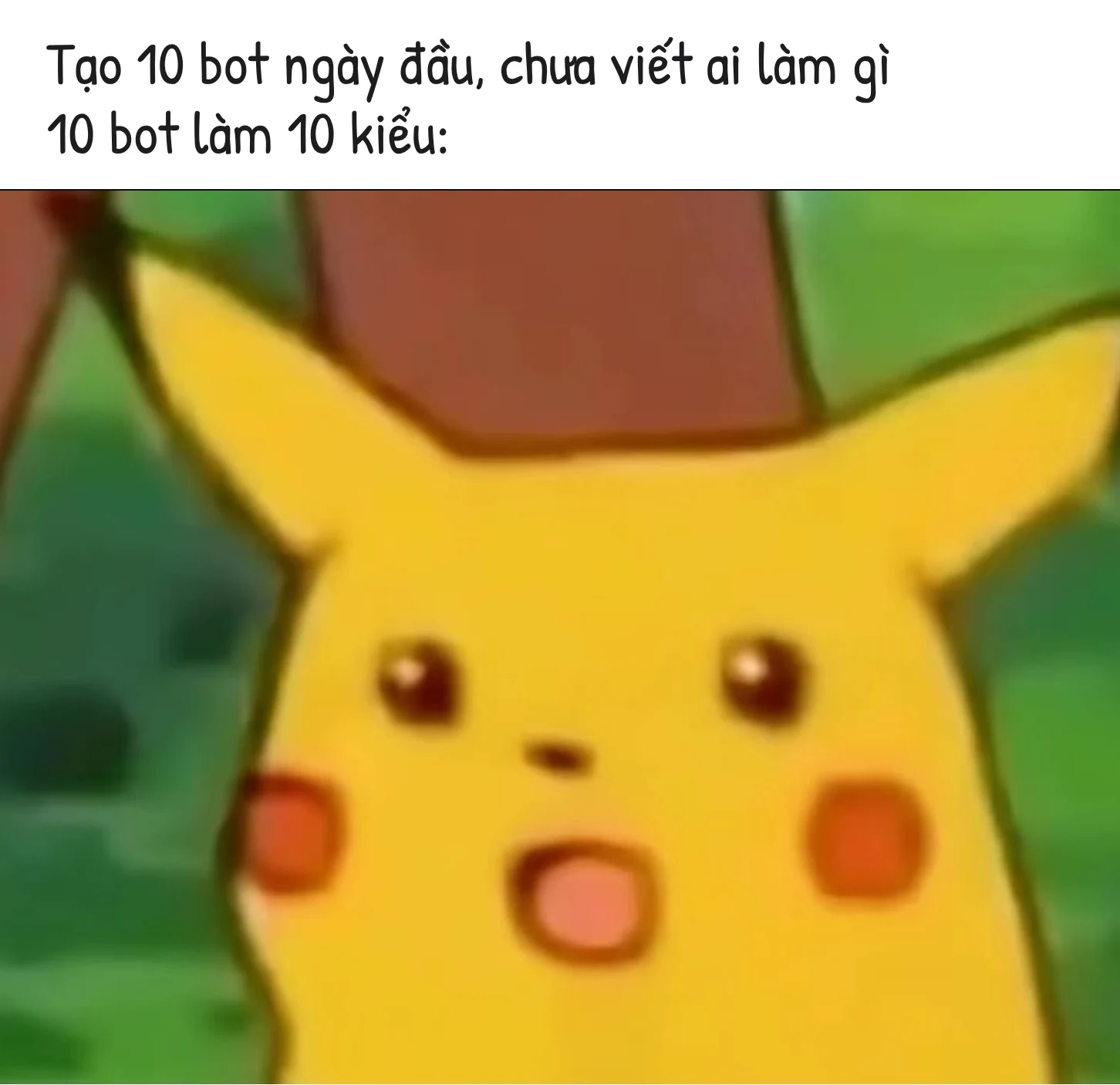
I anticipate a lot of people will enthusiastically fire up 10 bots on day one. My advice? Do the exact opposite: start with one bot on one repetitive task, and let it run reliably for a week. Only then should you introduce a second.
Plus, there are still no comprehensive, independent third-party benchmarks confirming how reliably Grok Bot handles complex workloads. Right now, most performance claims come straight from the vendor.
Grok Bot is undoubtedly powerful. But that power only turns into real output if you are capable of writing a rock-solid delegation plan.
The bottom line: Grok Bot got cheaper, but being the team lead is still your job
Grok Bot represents the "team edition" of AI assistants: multiple specialized bots, an orchestrator role, dedicated virtual environments, and native integration with X. At $30, it is currently the most accessible gateway to experiment with an autonomous agent team. But managing shared quotas, setting tight permission boundaries, and creating clear scopes of work still falls entirely on you.
So before you build your first bot, ask yourself:
What is one repetitive weekly workflow I can cleanly hand off to a single bot? Are my target customers on X, or on Facebook and TikTok? Which bots only get read access, and which ones get send permissions? And come Monday morning, where will I look to see what my entire bot team accomplished?
If you have clear answers to those four questions, that $30 hires you an actual team. If you don't, you just paid $30 to create another source of overwhelm.
Good luck :) Here's hoping your bot team spends less time in meetings, gets more work shipped, and never decides to publish rogue social posts at 3 AM.
P.S. If you're trying to choose between the leading 24/7 AI assistants, I've already broken down Meta's Muse and OpenAI's Dots in previous posts. Reading all three will give you everything you need to pick the right one.