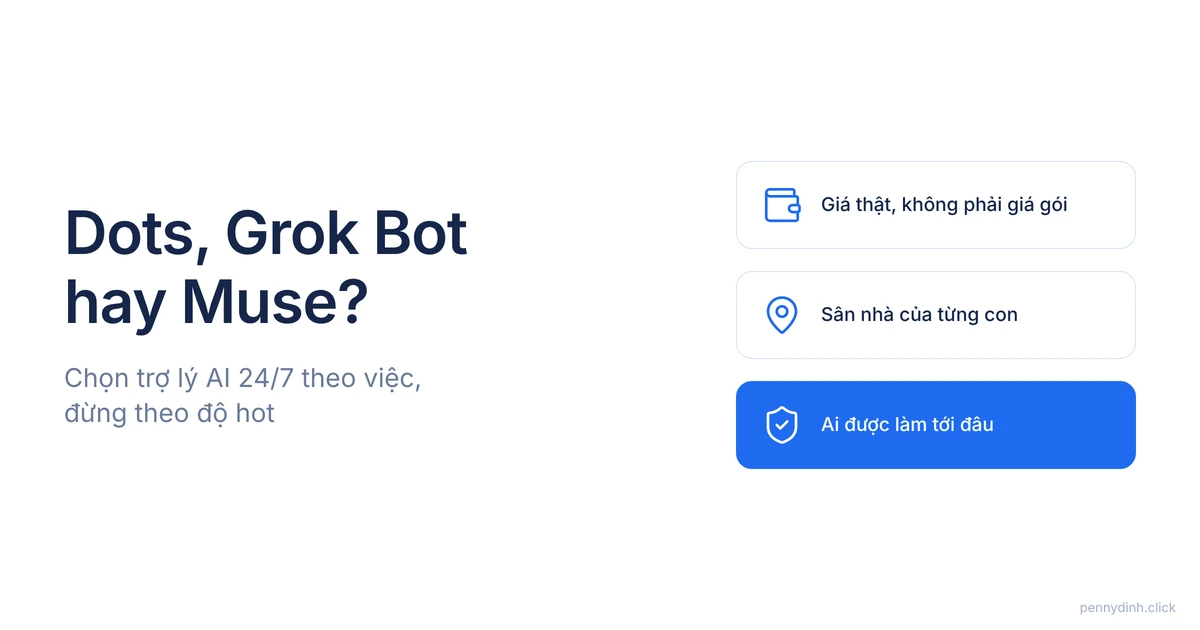
Dots, Grok Bot, or Muse: Choose your 24/7 AI assistant based on the job, not the hype
A head-to-head comparison of the three most-hyped 24/7 AI assistants by real cost, native ecosystem, and access—plus a task-by-task guide for marketers.
Penny Dinh · November 01, 2026
AI agent comparisons are everywhere right now. Every single week, there's another post ending with "this one is the most powerful."
Last week it was Dots. This week it's Grok Bot. Next week it'll probably be Muse.
I've written deep dives on each of them: Muse, Dots, and Grok Bot. After finishing all three, I caught myself asking the exact question you're probably asking right now: which one should you actually use?
So the real question for this post is: if you could only pay for one 24/7 AI assistant, do you choose based on leaderboards, or based on the actual tasks you need done?

Three assistants, one shared promise: a dedicated cloud computer that works while you sleep
All three launched within seven weeks of each other. xAI's Grok Bot dropped its beta on August 11. Meta's Muse launched September 8. OpenAI's Dots rolled out September 29 (BGR).
At their core, they're remarkably similar:
They run on a dedicated virtual machine in the cloud.
They plug into your apps, websites, and email.
They execute multi-step workflows on autopilot, even when your computer is shut down.
They check back in with you whenever approval is required.
So arguing over "which one is smarter" won't help you decide anything. Where they actually differ comes down to three things: real cost, home turf, and how they handle delegation. This post breaks down exactly those three.
Sticker prices are $0, $30, and $100, but the real cost is in the limits
Looking at the pricing tiers, the choice seems straightforward:
- Muse: Free for most users, plus two paid tiers—Power at $20 and Maximum at $100 per month (TechRepublic).
- Grok Bot: Starts with the $30 Premium tier of The X Subscription, sharing a weekly usage limit with Grok chat and Cursor (ContentGrip).
- Dots: Starts at the $100 ChatGPT Pro plan, with one Dot per account (PCWorld). Chatting with your Dot doesn't count against your limit, but running background tasks does (BGR).
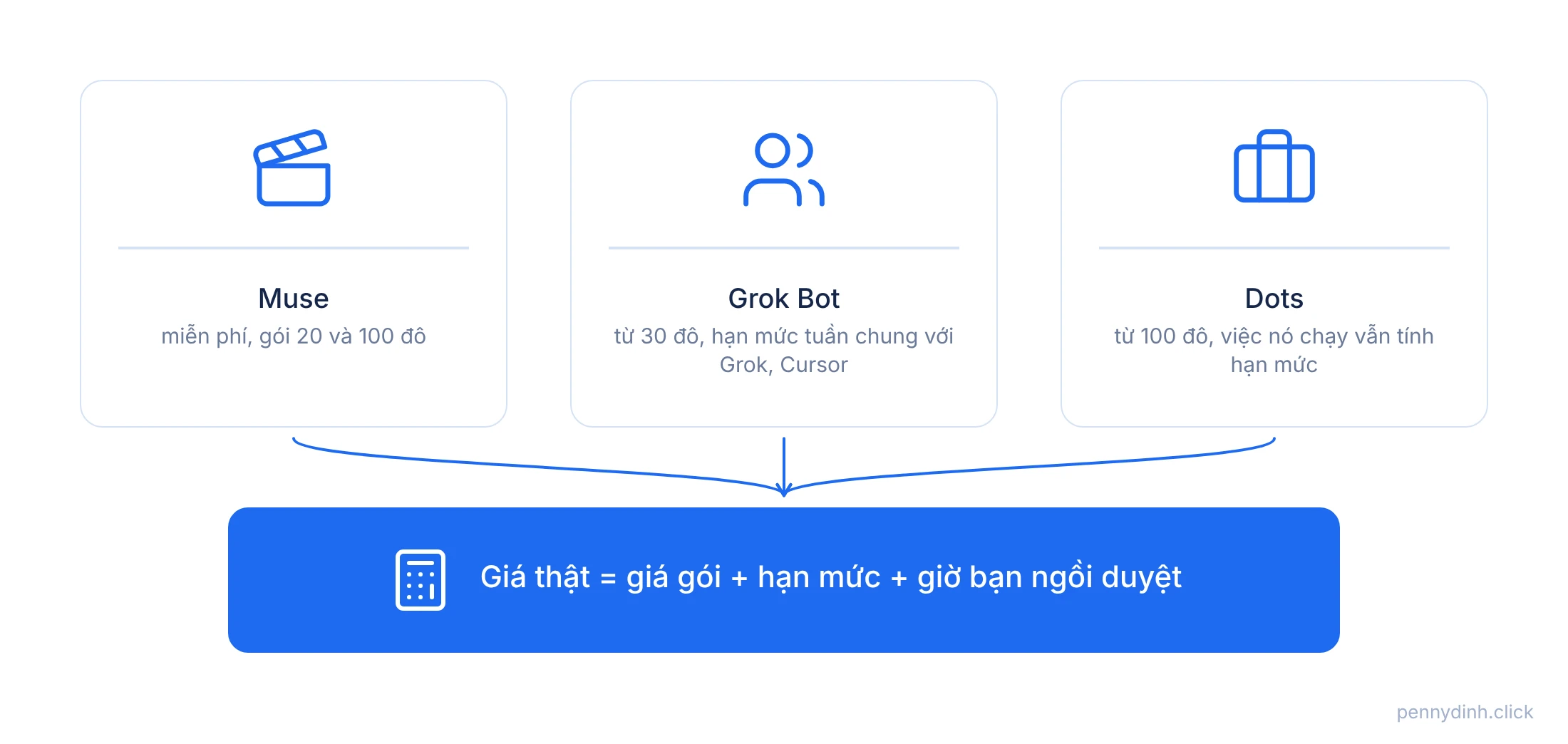
But the monthly fee is only the tip of the iceberg. Below the surface are the usage limits: how much work you can throw at it before it maxes out. And even deeper is your own time spent reviewing everything the agent does.
So don't just compare $0 vs $30 vs $100. Instead, ask: for the weekly workload you plan to delegate, which plan can actually make it through the week without hitting a wall?
Muse wins when your work lives in Meta's ecosystem and you need video at scale
Muse isn't just an assistant. It comes bundled with Muse Image for graphics and Muse Video for video generation.
The assistant side can send emails, schedule events, fill out forms, and make purchases using virtual one-time cards via Link by Stripe so your real card details aren't exposed to websites (TechRepublic). It runs across desktop apps, web, and WhatsApp.
For Vietnamese marketers, Muse makes the most sense if:
Your audience lives on Facebook, Instagram, and Threads.
You need a high volume of product videos featuring a consistent character.
You want to test the waters before pulling out your credit card.
Caveats to keep in mind: Muse officially rolled out in the US first. And Meta itself admitted that the virtual machine running Muse isn't entirely walled off from their access—it's just restricted by company policy (TechRepublic).
Grok Bot wins when you need a team and want to listen to X
Grok Bot is the only one designed from the ground up to operate as a team. Multiple bots, each handling a dedicated task, with a team lead bot dispatching the work.
Plus, it has home-court advantage on X: searching and analyzing posts right inside the app, tracking mentions, trends, and competitors (Social Media Today).
Best fit if:
You have distinct task workflows and want a separate bot for each.
You run affiliate, POD, or SaaS targeting international audiences where the conversation happens on X.
You need your bots to interact with apps that don't have APIs.
Limitations: all bots on an account share a single virtual machine, and your weekly usage limit is pooled with everything else in your subscription.
Dots wins when you need an executive assistant connected to thousands of work apps
Dots takes the opposite approach to Grok Bot: a single assistant, dedicated entirely to you.
A Dot connects to over 4,000 apps via plugins and communicates with you inside ChatGPT, Slack, Microsoft Teams, or via voice calls. In downtime, it conducts autonomous research using read-only tools. You set the rules: what it can do automatically, what requires approval, and what's strictly off-limits (BGR).
Best fit if:
Your daily workflow lives in email, calendar, Slack, Drive, and Notion.
You want a single assistant that knows your personal habits inside out, not a fleet of bots.
You already spend most of your workday inside ChatGPT.
Limitations: the most expensive of the three, and each account is currently limited to just one Dot.
Choose by task: one clear question, one clear choice
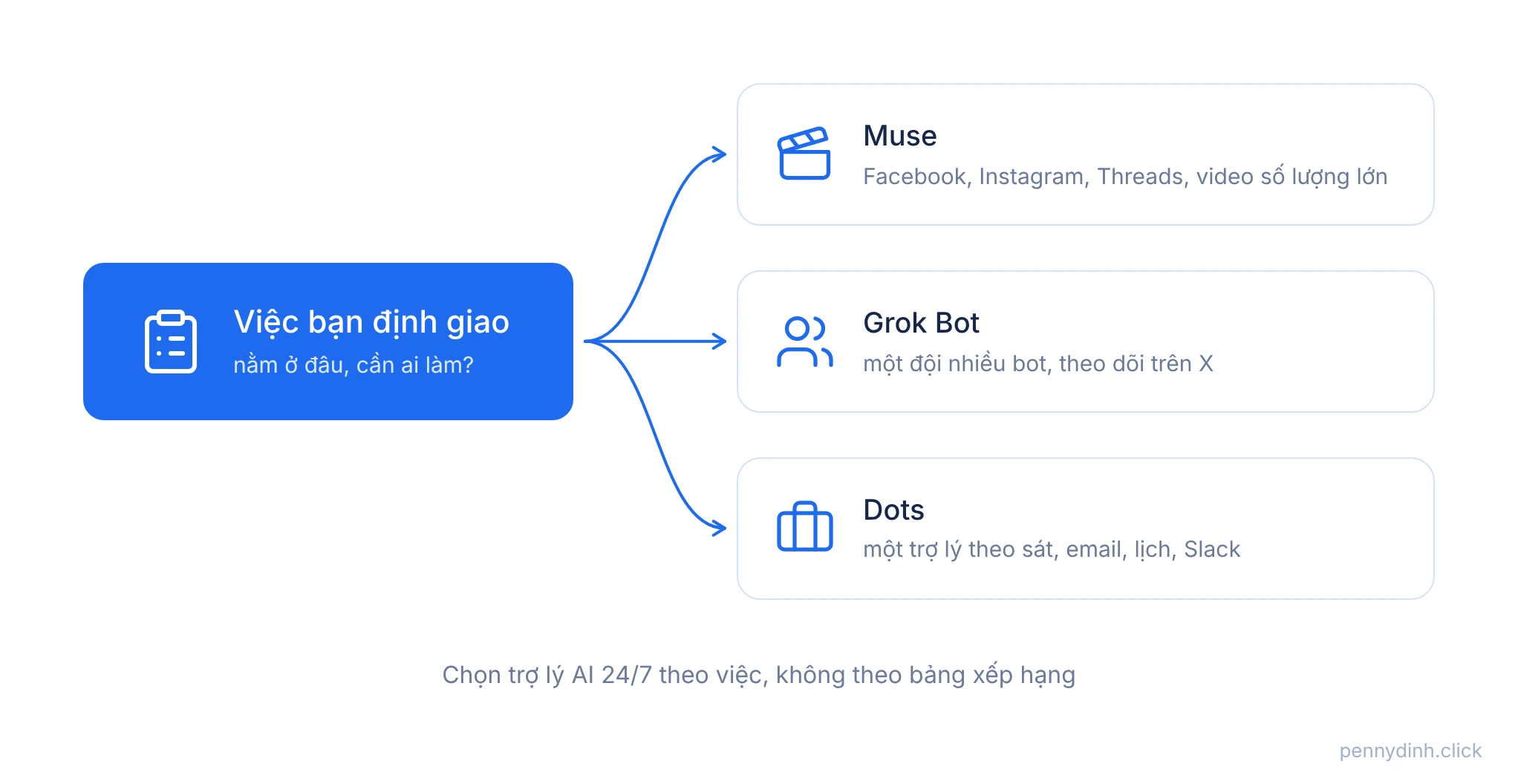
Bookmark this quick cheat sheet:
Need to pump out product videos and images for Facebook and TikTok? → Muse.
Your audience and community live on Facebook, Instagram, and Threads? → Muse.
Need to track trends, competitors, and AI news on X? → Grok Bot.
Have multiple distinct workflows and want dedicated bots for each? → Grok Bot.
Your work revolves around email, calendar, Slack, and Teams, and you need a dedicated right-hand? → Dots.
Budget sitting at $0? → Start with Muse's free tier, then evaluate.
Not sure what to delegate yet? → Don't get any of them. Start by writing down 3 recurring tasks you do every week.
My personal takeaway: the one I use the most isn't the most powerful
Out of the three, I actually use Muse the most. Every single day, for bulk video creation.
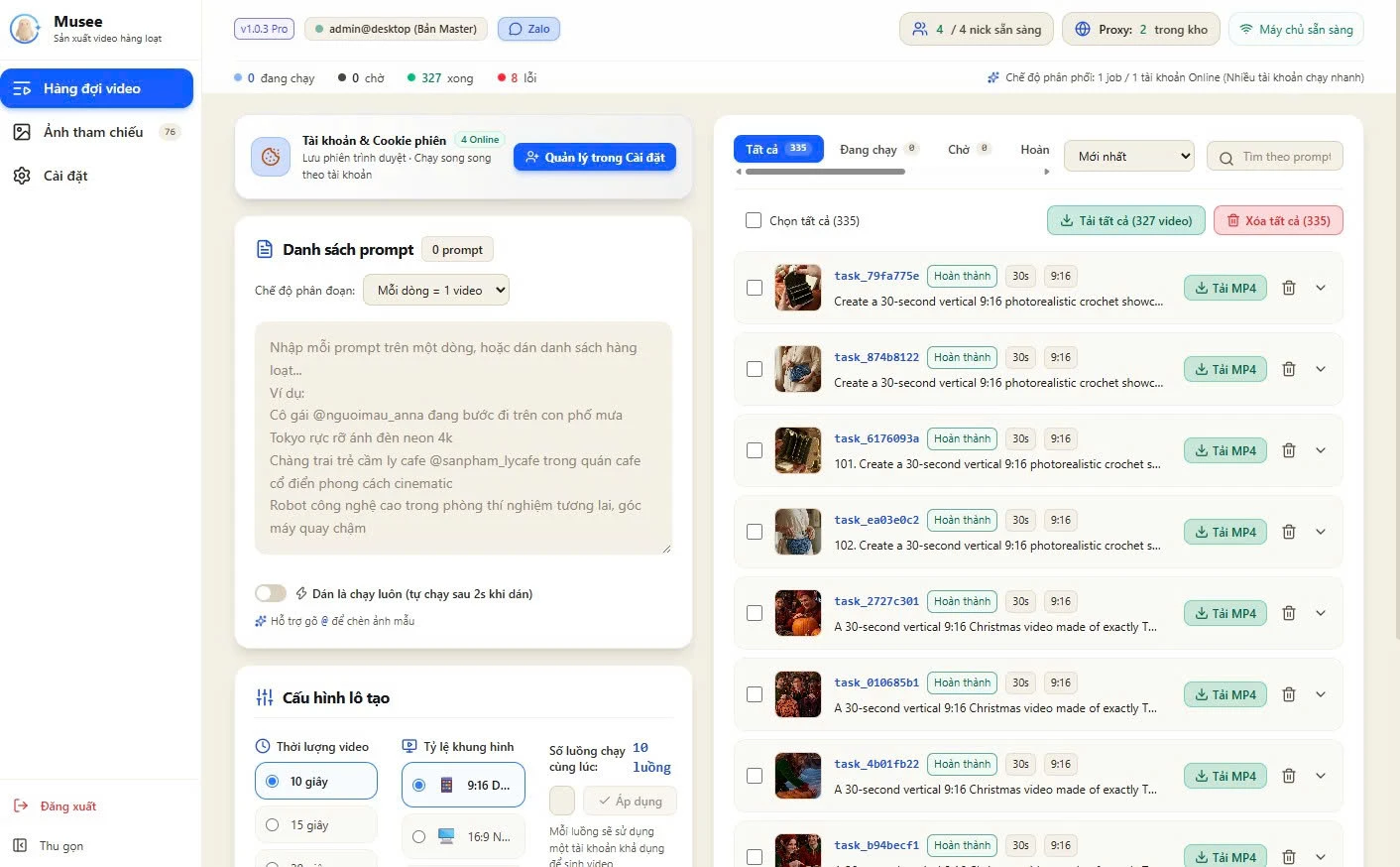
Not because Muse is the most powerful. In terms of reference image consistency, it still trails the higher-end video models I use. But because it fits into my batch workflow. I vibe-coded Musee so I could paste in a list of prompts—one line per video—and let it batch-process across my Muse accounts. One recent queue just finished 327 30-second videos in 9:16 vertical format.
With Grok Bot, I run it as a squad: one bot per task—one checks my calendar, one logs tickets, one updates Linear—which I broke down in detail in my Grok Bot post. As for Dots, I haven't used it as much yet.
My key takeaway: the best assistant is the one that fits seamlessly into your existing workflow, not the one topping this week's leaderboard.
Don't pay for all three, and don't trap your workflows inside their walled gardens
Here's my take.
All three companies want you living entirely inside their ecosystems. Muse locks you into Meta. Grok Bot pulls you into X. Dots tethers you to ChatGPT. Your routines, agent memory, approval rules—everything sits on their platforms.
And when you're playing in their backyard, they can change the rules whenever they want. Grok Bot revamped its pricing structure twice in two months. Muse might be free today, but there's no guarantee it will stay that way tomorrow.
That's why I keep the task framework on my own turf: clear job specs, definition of done, and explicit rules for when to ask for approval. Kept in a single file, a doc, or a ticket. Once you own that framework, any AI agent is just a contractor. Swap the contractor, and the workflow keeps running.
As for subscribing to all three "just to be safe"? Three invoices won't make you any better at delegating. It just means three different dashboards you have to check every morning.

The bottom line: There is no single "best" 24/7 AI assistant, only the one that fits the job
Muse is the most affordable and dominates the Meta ecosystem, especially if you need bulk video. Grok Bot is built for anyone needing a multi-bot squad and real-time listening on X. Dots is tailored for those who want an executive assistant embedded in their email, calendar, and Slack. All three are barely a few months old, and their pricing and features are constantly shifting.
So before you hit subscribe, ask yourself:
Does the work I want to delegate live on Meta, on X, or in my email and Slack? Do I need one assistant or an entire squad? How much work am I delegating each week, and which plan's limits can handle it? And if the platform jacks up its prices tomorrow, is my SOP portable enough to take somewhere else?
Answer those four questions, and you'll know exactly which one to pick—without getting swayed by every new hype piece.
Good luck :) hope you find yourself a reliable assistant—not three extra subscriptions on your credit card.
P.S. If you go with Muse for bulk video creation, I built Musee to batch-process generations while keeping character consistency—without having to click through prompts manually. There's a 3-day free trial.